Guide
Fuel for a race in iRacing: how to work it out and what Auto Fuel does
To avoid running dry on the last lap without hauling extra liters around, you need three numbers: fuel per lap, laps to the finish and a margin. You can work them out in your head, leave it to iRacing's Auto Fuel, or read them off the Pacelense fuel calculator.
How to work it out
Here's how much to add: (laps to the finish + margin) × fuel per lap, minus what's already in the tank.
Take the average over several laps at race pace: a single lap in traffic or with a mistake will give you the wrong number. A margin is easier to keep in laps than in liters: a liter means a different number of laps on different tracks and cars.
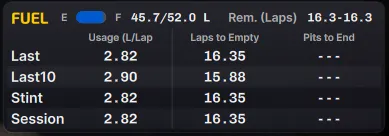
iRacing works out the average in its Fuel Calculator widget. It's off by default: press Alt+K and turn on Fuel Calculator in the widget editor.
Auto Fuel in iRacing
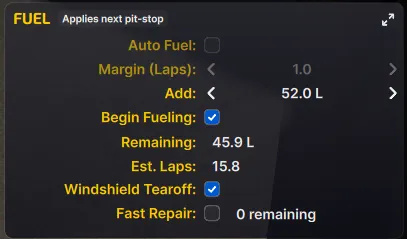
Auto Fuel works out how much to add to reach the finish and puts that number in the pit menu itself. You turn it on with the Auto Fuel checkbox on the fuel screen (F4 by default); Margin (Laps) next to it sets the margin in laps. Enter the liters by hand and Auto Fuel switches off.
It only works in a race. If you have no fuel data for this car on this track yet, the checkbox is grayed out: drive a few laps first.
The Pacelense fuel calculator
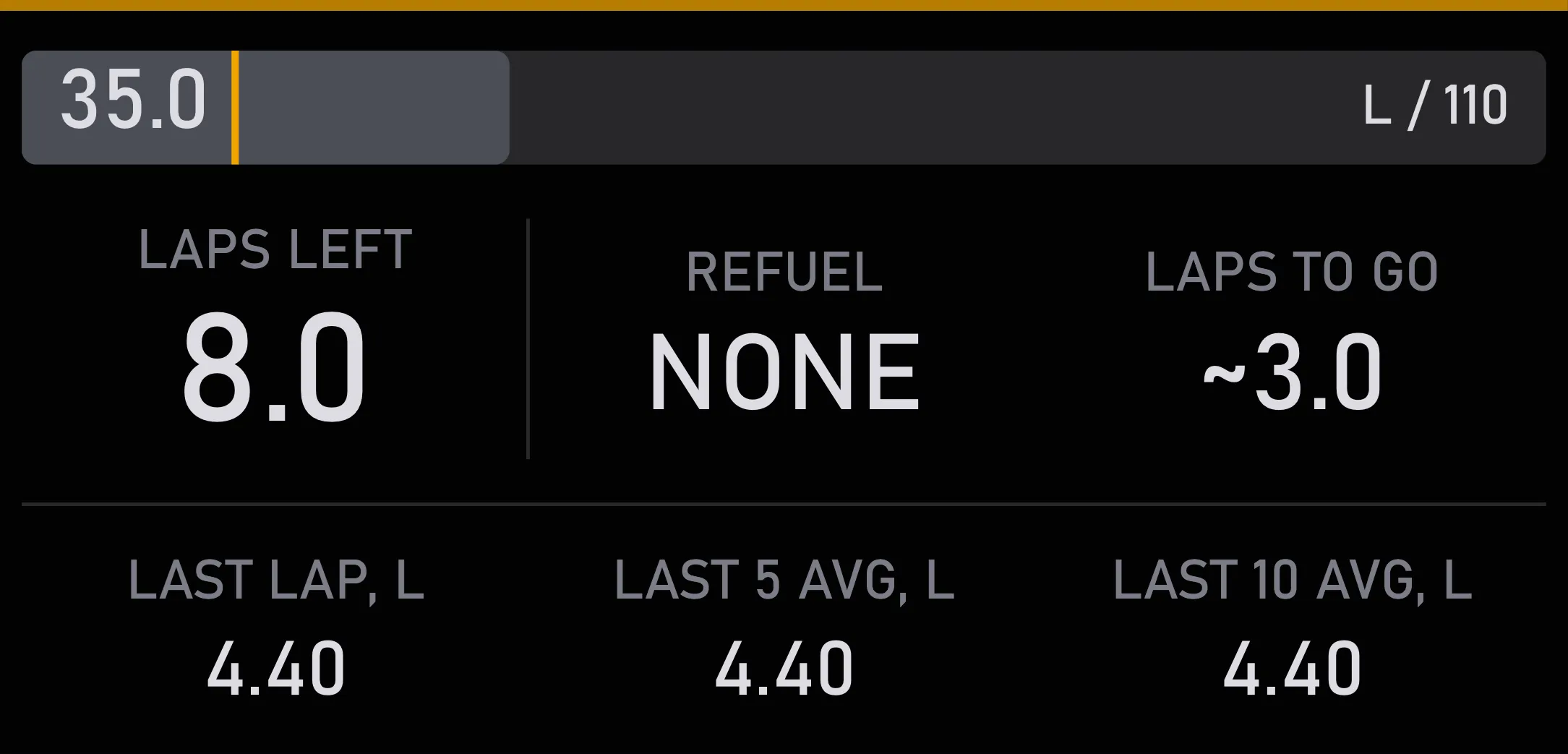
The fuel calculator shows how many laps the fuel in the tank will last and how much to add, margin included. It averages fuel use over your last five laps (you can change that), leaves out laps that touch the pit lane, and remembers fuel use for every car on every track.
Each has its own strength. The calculator works in practice and qualifying too and carries the fuel use from there into the race, so you see the plan in advance. But it doesn't write anything to the pit menu: the fuel there is set by you or by Auto Fuel.
How much goes in at the pit stop, you can see in the pit assistant: it shows what's set in iRacing's pit menu.