Guide
How to set up iRacing overlays
The main thing is to turn on borderless mode in iRacing: without it, nothing will show up over the game. The rest takes a couple of minutes.
Borderless mode in iRacing
Each widget is a separate window over the game. In fullscreen mode, Windows doesn't show other windows on top of iRacing, so the widgets stay hidden. In borderless mode the game still fills the whole screen, but the widgets show up over it.
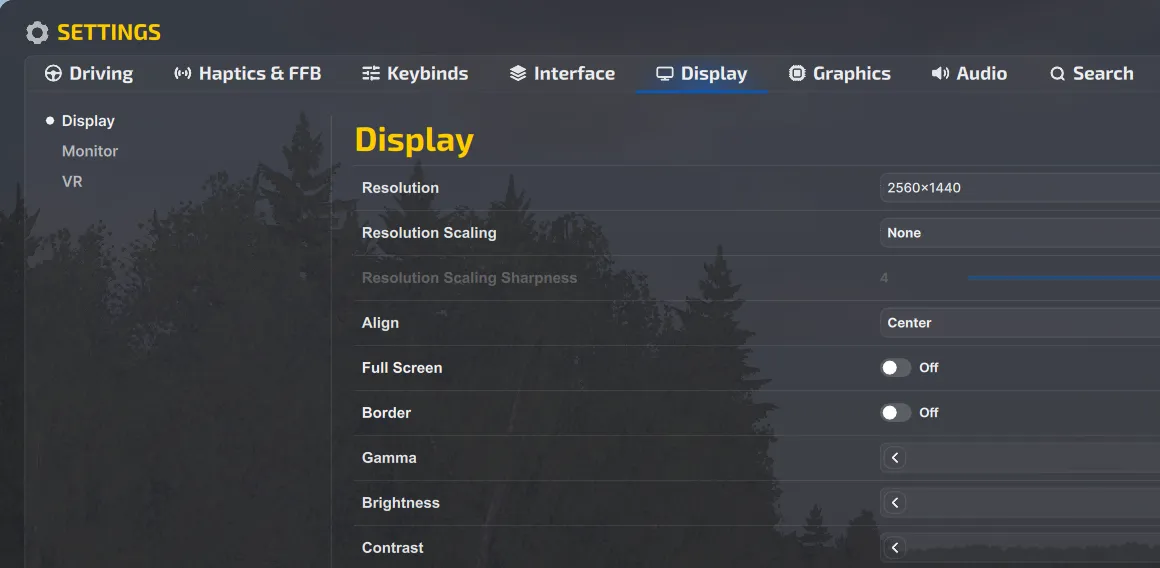
In iRacing, open Settings → Display and turn off Full Screen and Border. If the game doesn't switch right away, restart it.
First launch
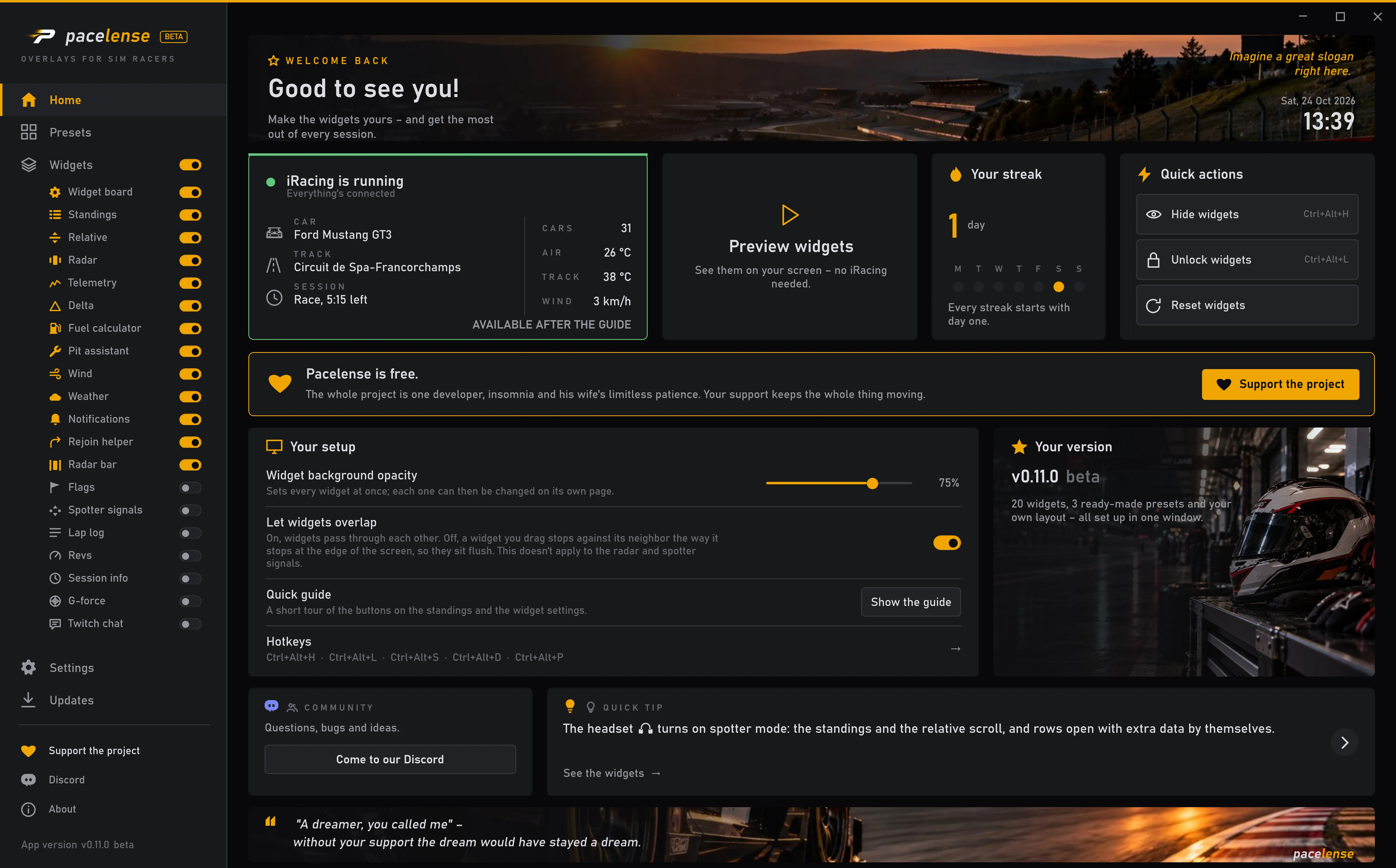
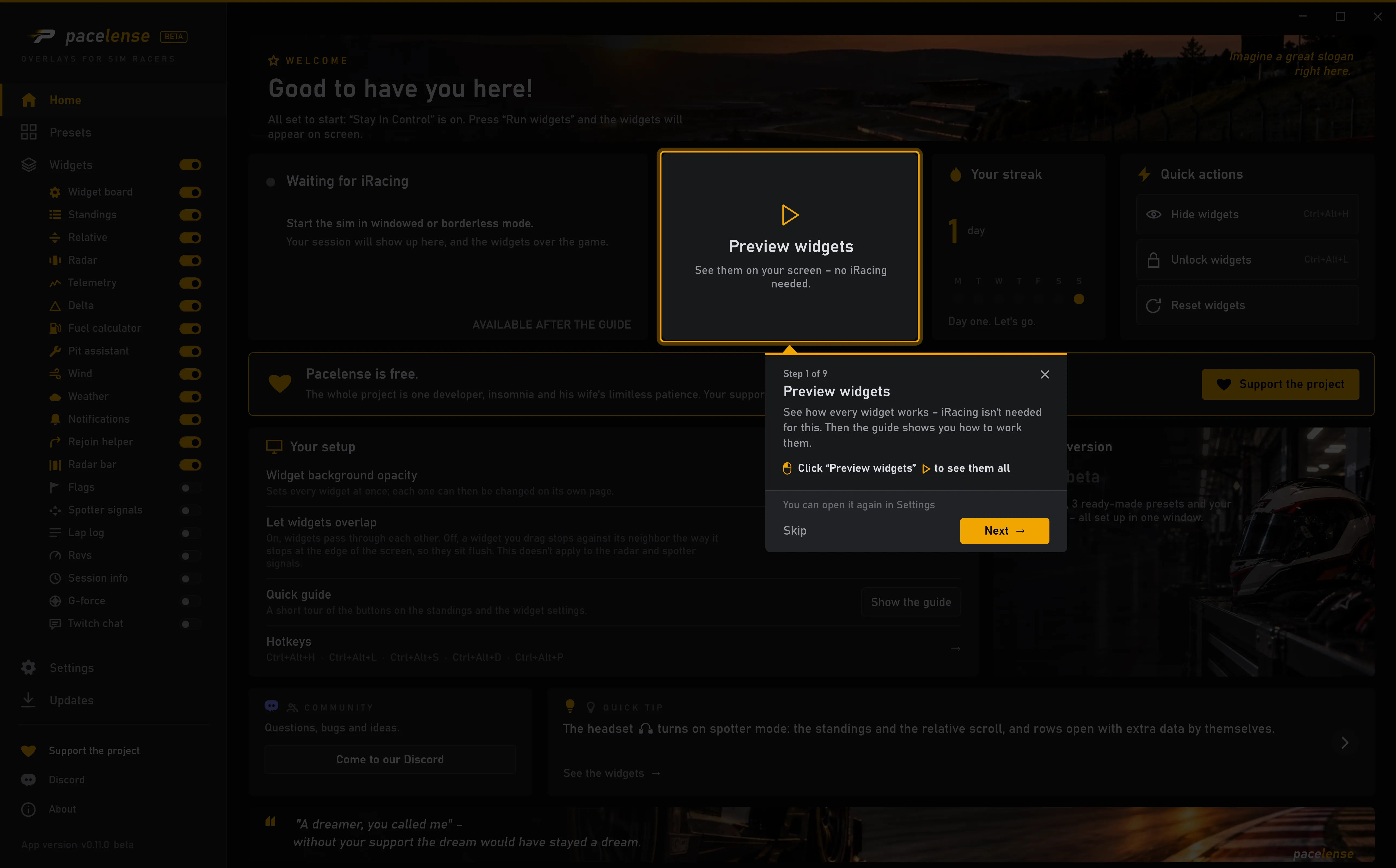
On the first launch, the Quick guide opens and shows you where the widgets' main buttons are. You don't need to start iRacing for it: the widgets show up on your desktop and play a recorded race.
You can come back to the guide any time: Show the guide is on the home page and in Settings.
A preset is a ready-made layout: one click sets out all the widgets on screen. Right after you install, Stay In Control is in place, and two more presets are on the Presets page. You can look at any of them on your own screen first, then apply it.
A preset is only a starting point. You can switch widgets on and off, move and resize them. Almost every widget has settings of its own, and a few also come in different looks: set up the screen your way.
Setting up right in the game
You don't need to leave the sim to change a widget's settings. Click the lock on the standings — every widget unlocks at once, and a gear shows up in the corner of each. It opens the settings right next to the widget: change something and you see the result on screen straight away.
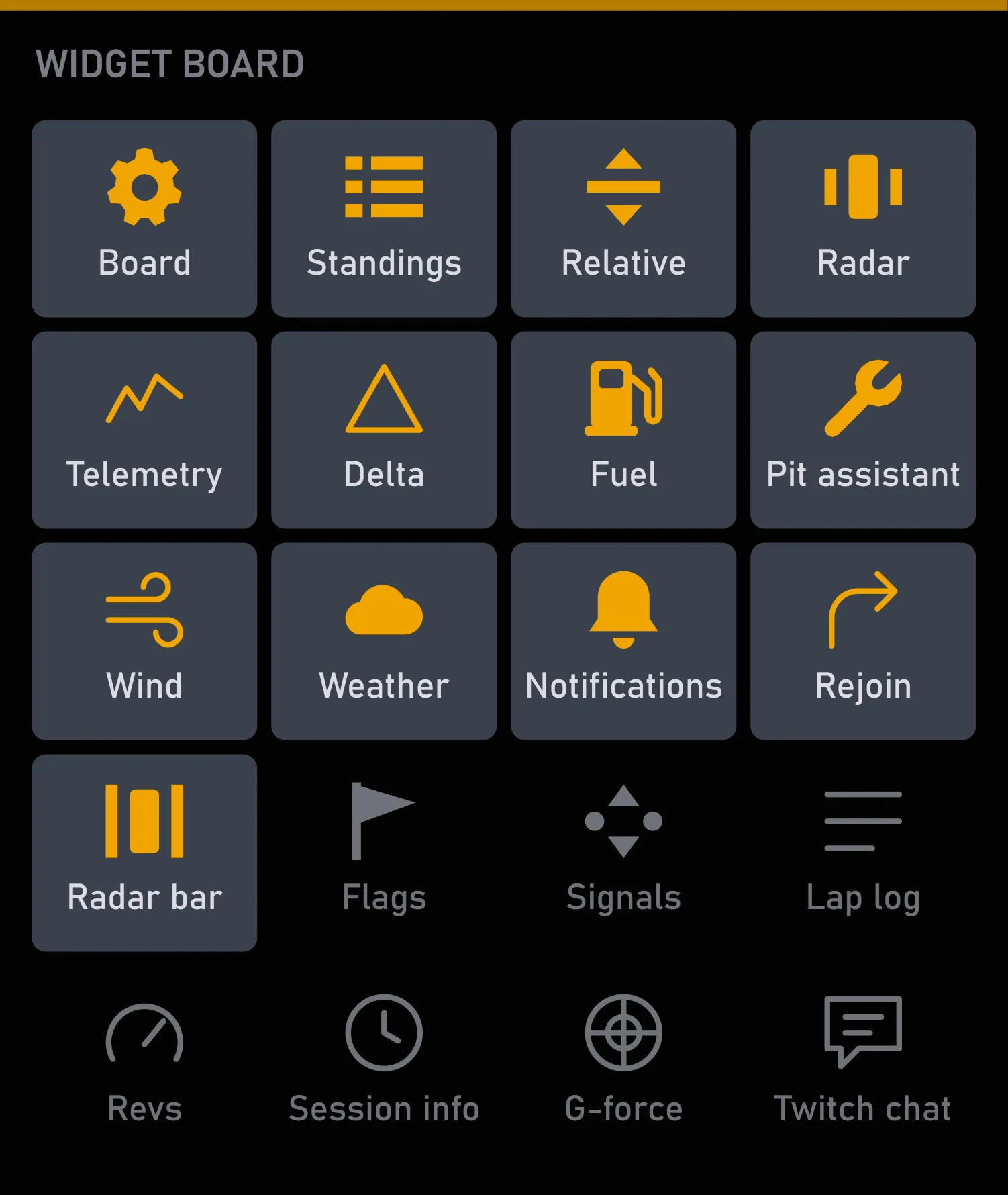
While the widgets are unlocked, the widget board is on screen, with a tile for each one. Amber tiles are widgets that are on, gray ones are off. Click a tile to switch that widget on or off.
Or in the Pacelense window: every widget has its own switch in the menu on the left.
Drag a widget with the mouse, or pull any corner to make it bigger or smaller while it stays in place. For fine-tuning, click the widget: the arrow keys move it one pixel, ten with Shift. Use as many monitors as you like: widgets move freely between them.
When you're done, click the lock again. While the widgets are locked, every click goes to the game.
To see what each widget does, open its page under Widgets.
Hotkeys
Five actions have hotkeys:
| Ctrl+Alt+H | show or hide the widgets |
| Ctrl+Alt+L | lock or unlock the widgets |
| Ctrl+Alt+S | turn spotter mode on or off |
| Ctrl+Alt+D | switch the delta's reference lap |
| Ctrl+Alt+P | show or hide the pit assistant |
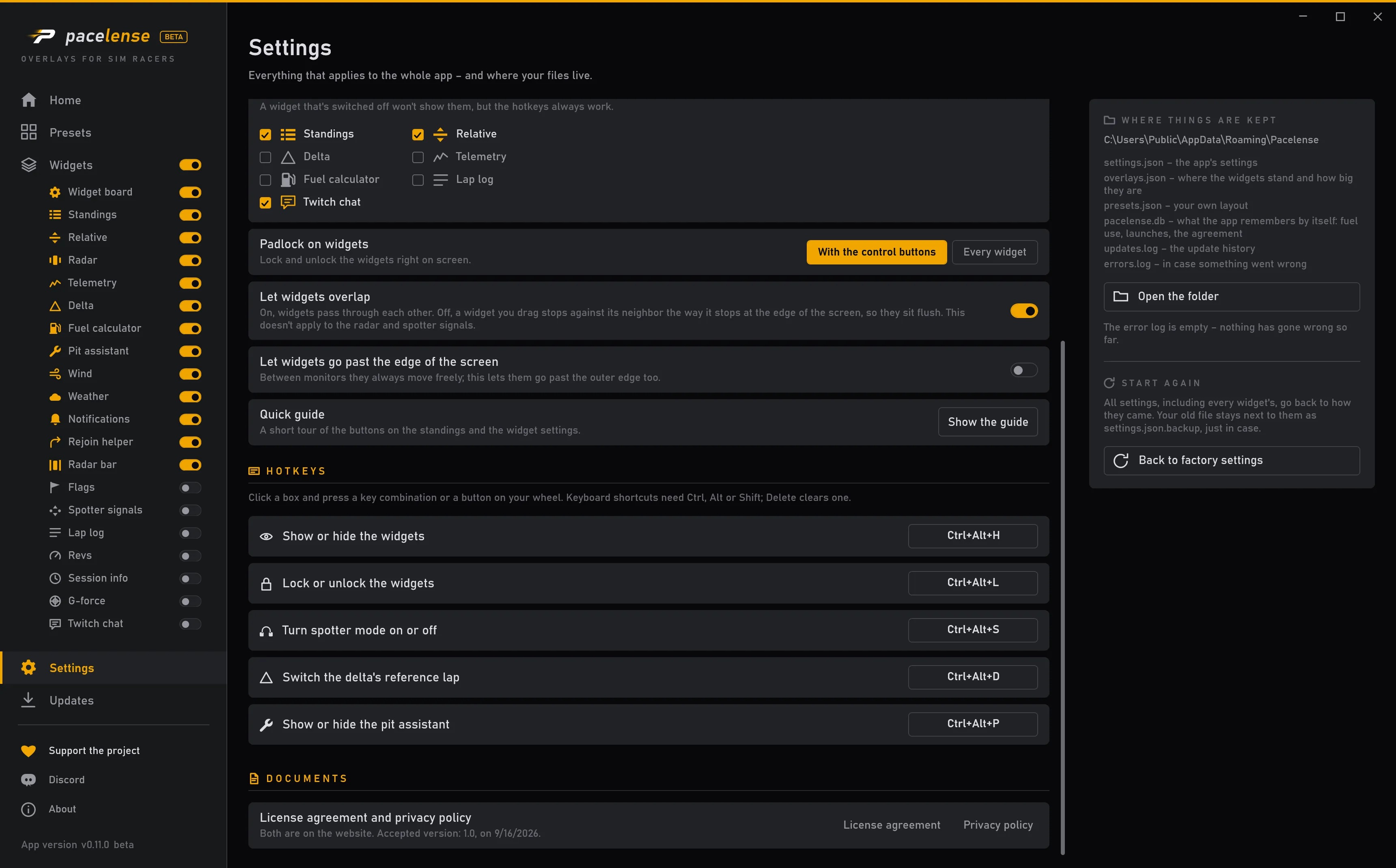
You can move any of them to your wheel: open Hotkeys in Settings, click the box next to the action and press a button on your wheel.