
Pit assistant
Everything you need to know about your pit stop
What it is for
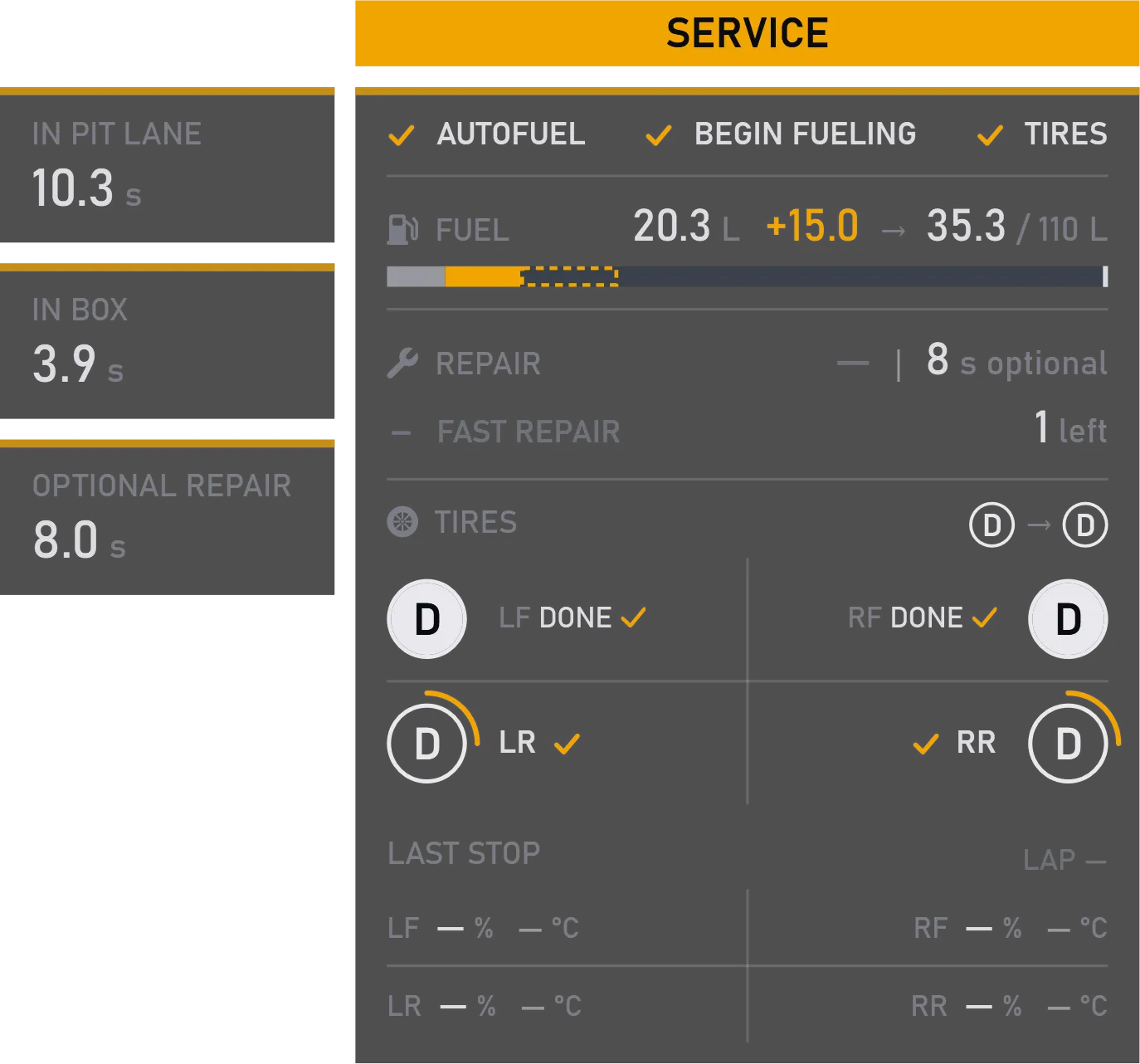
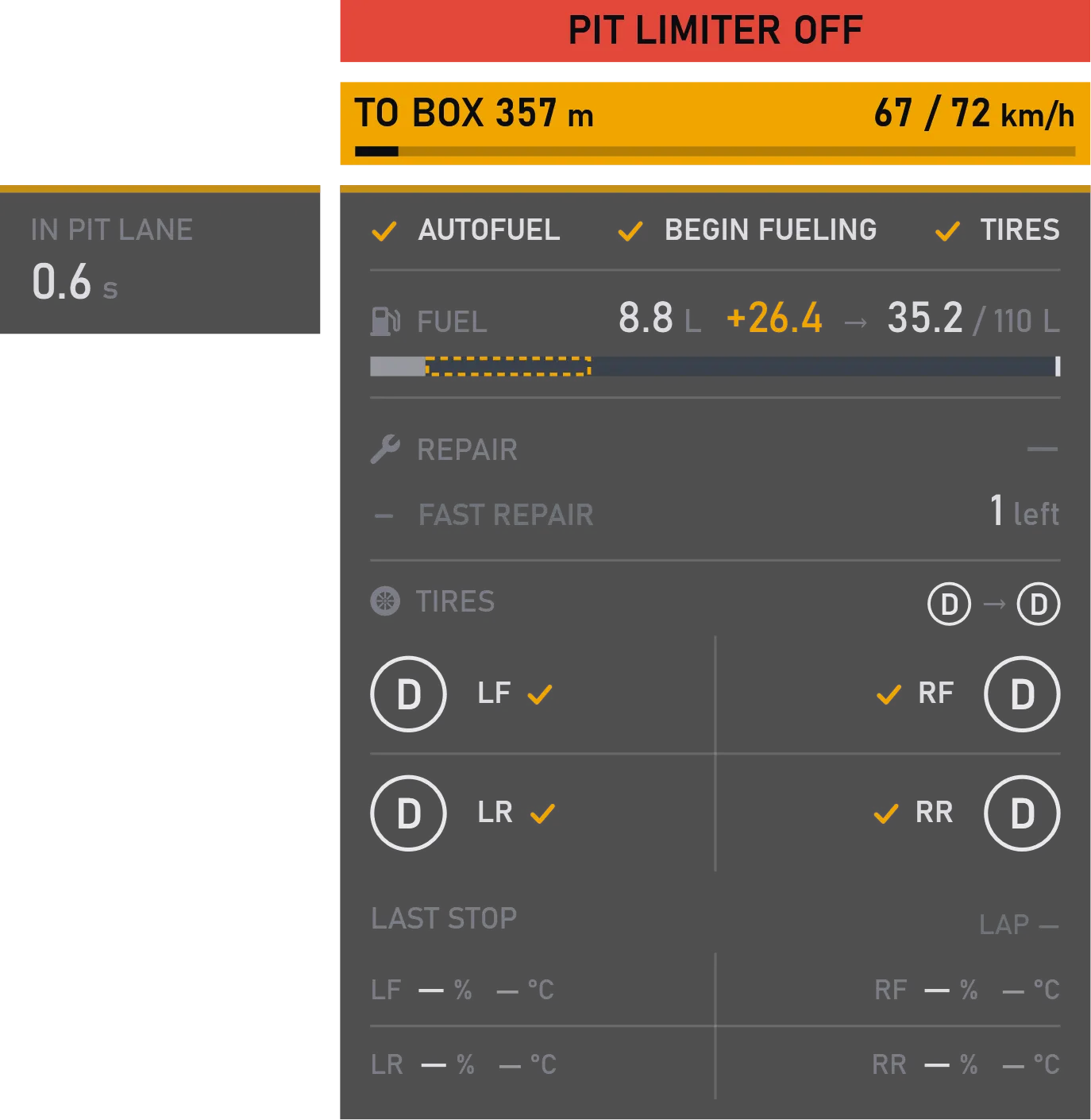
It comes up as you enter the pits and shows what matters at a stop: your speed and the limit, how many meters to your box, and the plan — how much fuel goes in, which tires get changed, how long the repair takes. While you're in the box, you can see which tires are already done.
On the left, the clock runs: time in the pit lane, time in your box, and repair time left. After you're out, it stays 10 more seconds to show what the stop cost you compared with the same stretch of your best lap.
What you can tune
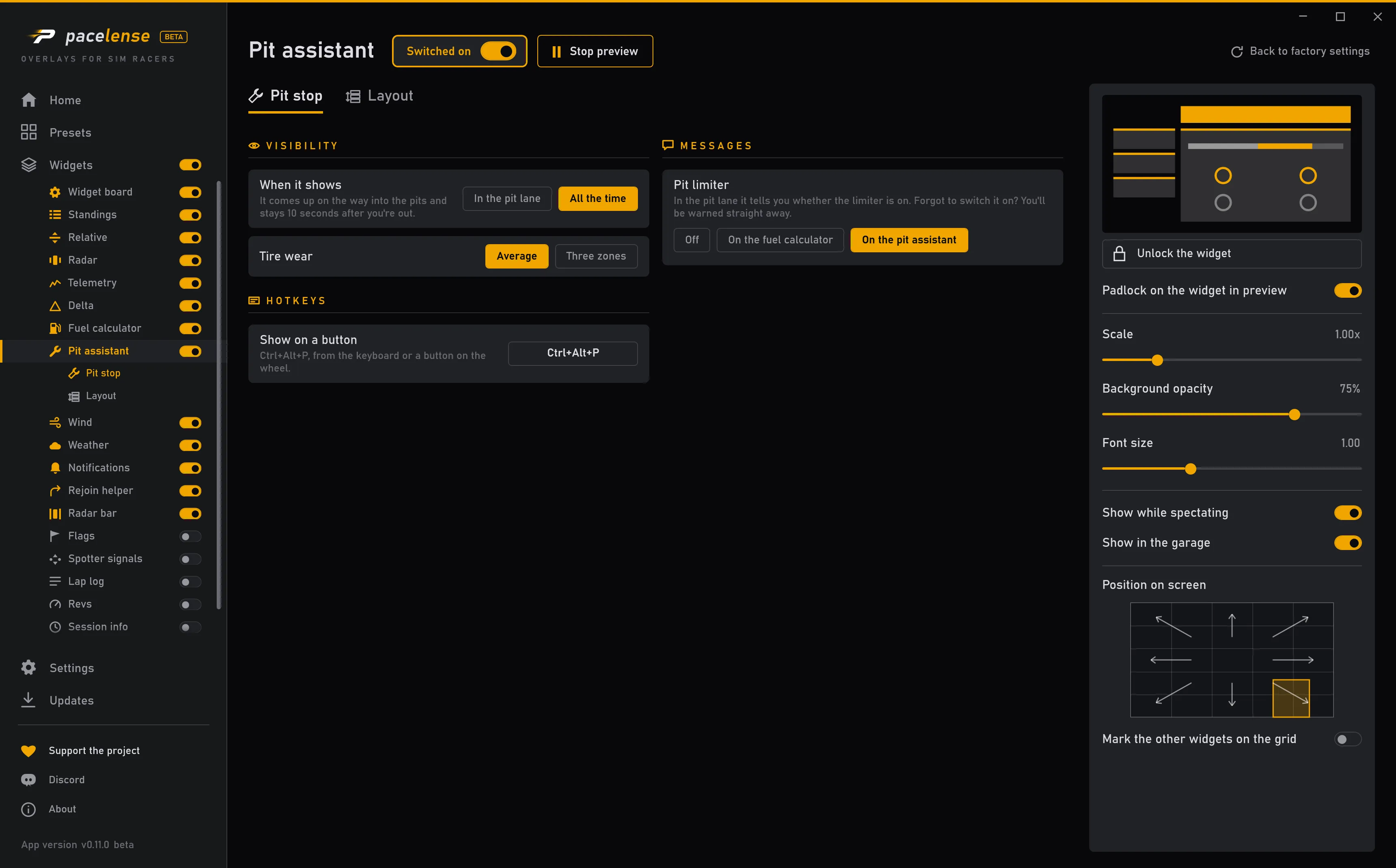
In the pit lane — it comes up on the way into the pits and stays 10 seconds after you're out. Or all the time, if you'd like to see your stop plan ahead.
One average number per tire, or three zones across the tread. The number is the tread left: 100% is a new tire.
In the pit lane it tells you whether the limiter is on. Forgot to switch it on? You'll be warned straight away. You can show it above this widget or above the fuel calculator.
Size, position and when it shows are set the same way for every widget.
Where you change it
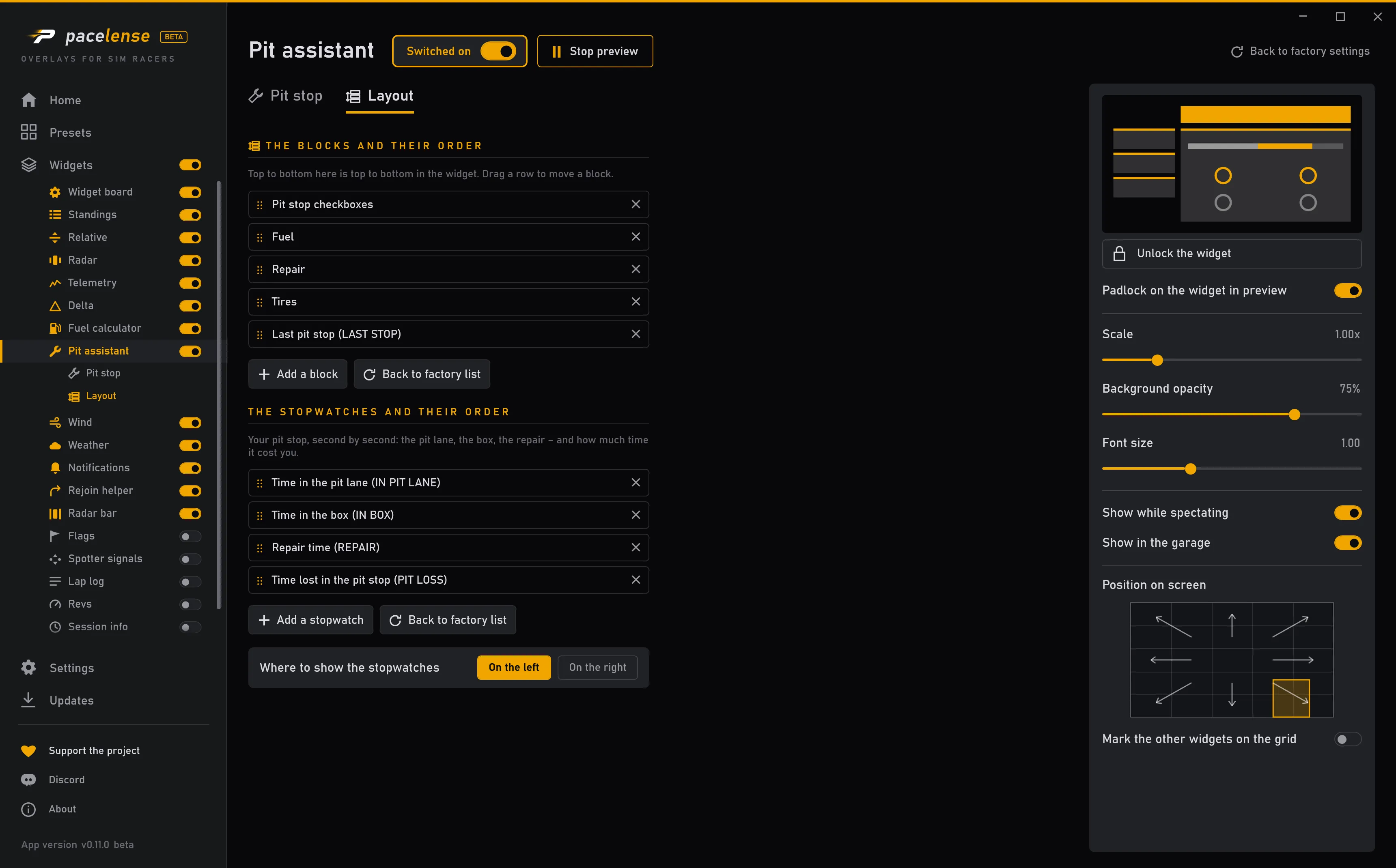
Each change takes effect at once — there is no apply button.