
Twitch chat
Your channel's chat right over the sim
What it is for
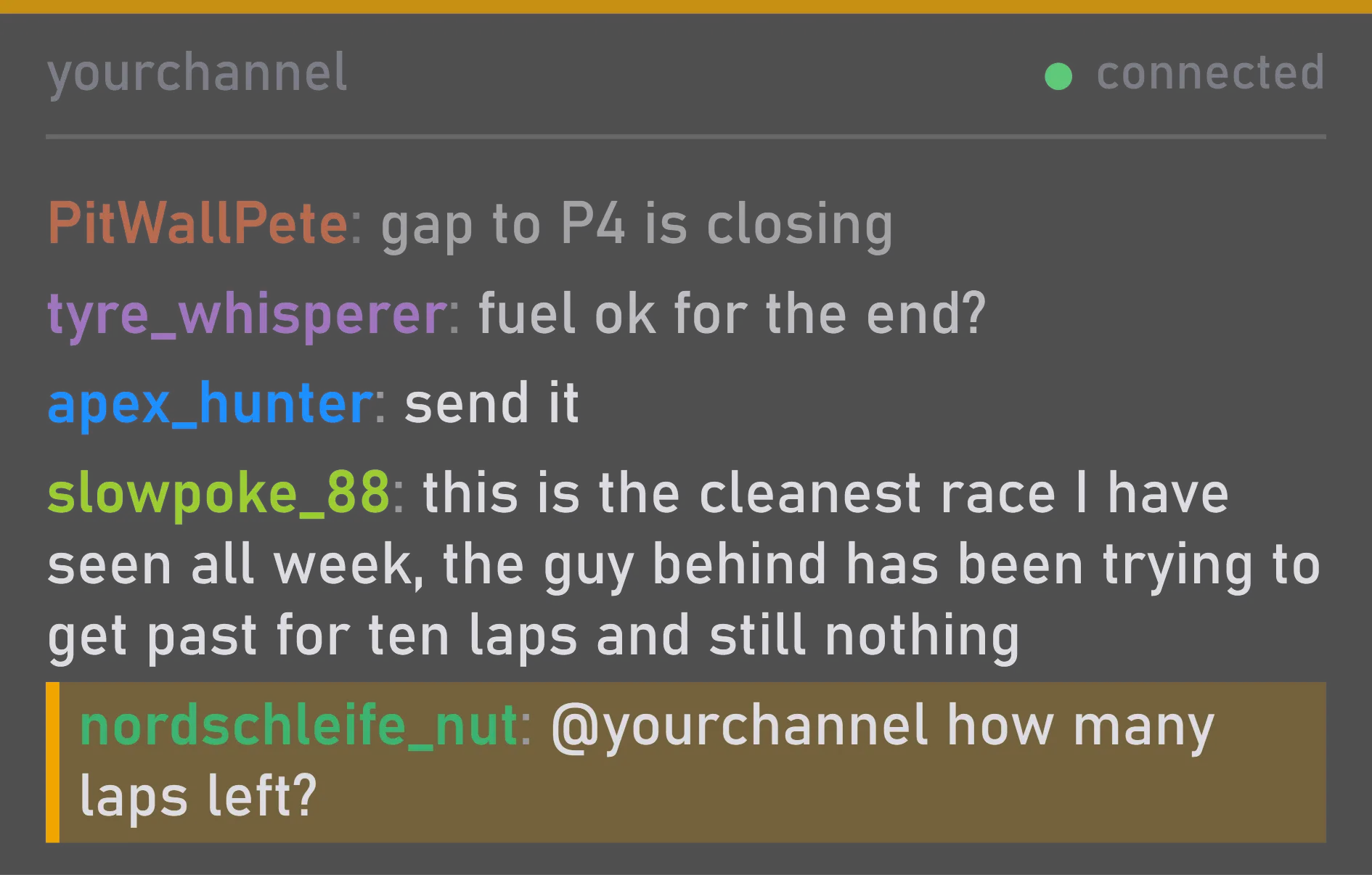
Viewers' questions show up right away, right over the track — answer on stream without losing focus on the race. Messages with @your channel name are highlighted, so you won't miss them.
No need to sign in to Twitch: the widget reads the chat as a guest. The app connects to Twitch only when the widget is on and a channel is entered.
What you can tune
Type the channel's name or paste a link to it.
At the bottom, as on Twitch, or at the top.
Older messages fade, so new ones stand out. You can turn this off.
Size, position and when it shows are set the same way for every widget.
Where you change it
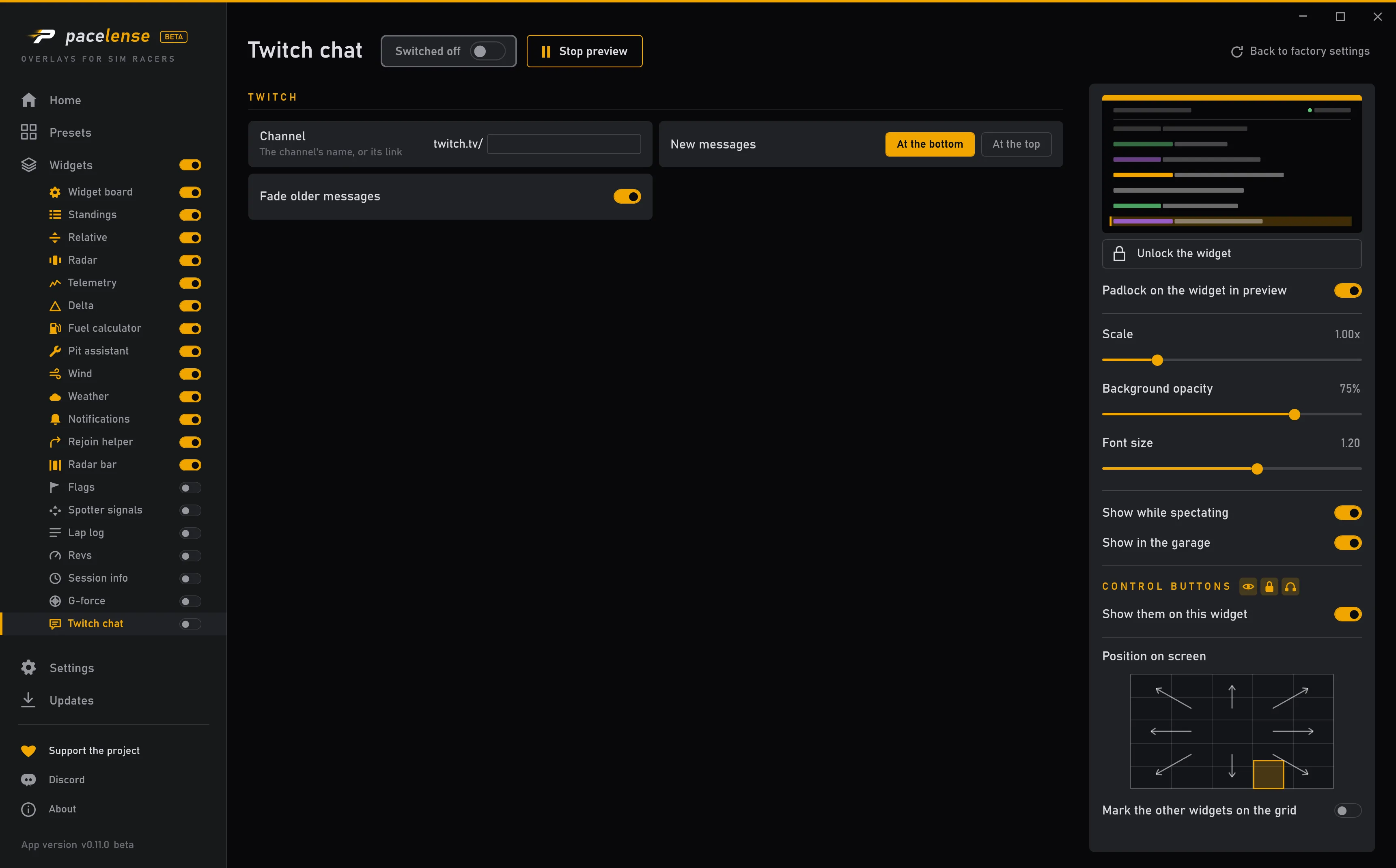
Each change takes effect at once — there is no apply button.